
AI Smart Glasses Privacy Protection in 2025: Brand Differences & User Guide
Introduction
I. Privacy Risks of AI Smart Glasses
The main privacy concerns with AI smart glasses include:
- Covert Recording – Cameras may record video or take photos without the user’s awareness.
- Data Storage & Transmission – Voice recordings, images, and other data may be uploaded to the cloud, risking leaks.
- AI Recognition Misuse – Facial recognition and scene analysis could infringe on others’ privacy.
- Use in Sensitive Areas – Wearing them in locker rooms, restrooms, or medical facilities may violate laws or ethics.
II. Privacy Protection Measures by Major Brands
1. Ray-Ban Meta AI Glasses (Meta & Ray-Ban)

Key Privacy Features:
✅ Mandatory Recording Indicator – A visible LED light must stay on when recording, and cannot be disabled manually to prevent stealth recording.
✅ Recording Blocked if Covered – If users try to block the indicator (e.g., with tape), the device automatically disables recording.
✅ Local Storage + Optional Cloud Upload – Built-in 32GB storage saves ~500 photos or 50 videos; users choose whether to sync with the app.
✅ User Data Control – The companion app lets users view, delete voice logs, and manage sharing settings.
❌ Still Relies on Cloud AI – Some features (e.g., real-time translation) require internet, potentially uploading data to Meta servers.
Best For: Users who prioritize transparent recording practices but should be aware of Meta’s data policies.
2. Rokid Glasses (Alipay Partnership)
Key Privacy Features:
✅ Trusted Execution Environment (TEE) – Payment and sensitive interactions use Alipay’s “Look and Pay” tech, ensuring secure data processing on-device.
✅ Minimal Data Collection – Focuses on AR payments & services rather than unrestricted recording, reducing privacy risks.
❌ No Clear Recording Indicator – Since it’s not primarily a camera device, it lacks mandatory recording alerts.
❌ High Cloud Dependence – Payment data may go to Alipay servers, relying on financial-grade security rather than full local processing.
Best For: Users focused on AR payments & navigation, but not ideal for those avoiding cloud-based recording.
3. Lenovo Lecoo Douzhanzhe G1 (Camera-Focused)
Key Privacy Features:
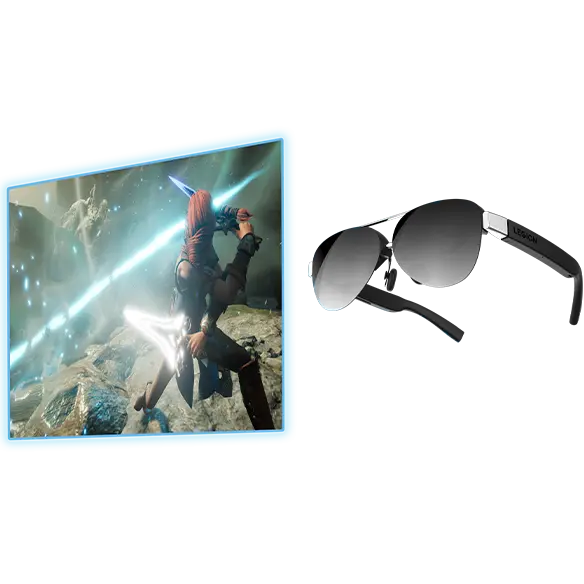
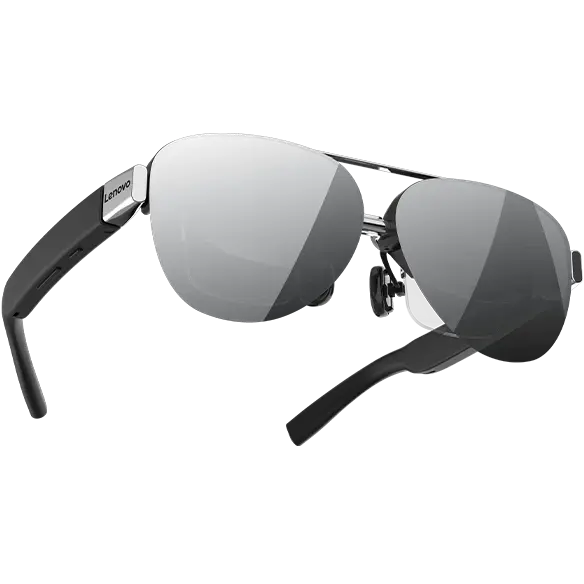
✅ High-Quality Camera – Uses a 12MP Sony IMX681 sensor, suitable for photography enthusiasts.
❌ No Public Recording Safeguards – No confirmed mandatory LED indicator or tamper-proofing, leaving privacy control to the user.
❌ Unclear Data Policies – No detailed info on local vs. cloud storage or user data management.
Best For: Photography users, but general consumers should be cautious about covert recording risks.
4. VITURE Pro XR (XR Display-Focused)
Key Privacy Features:
✅ No Camera (Pure Display) – Focuses on a 135-inch virtual screen with no recording capability, avoiding privacy issues entirely.
✅ Anti-Peeking Design – 99% front light absorption prevents others from seeing the screen.
❌ No AI Recognition – Lacks facial recognition or voice assistants, reducing privacy risks but limiting interactive features.
Best For: Media consumption & office use, but not for AI interaction needs.
III. User Recommendations for Selection & Usage
1. Key Privacy Features to Look For
✔ Mandatory Recording Indicator (must be visible & undeletable)
✔ Tamper-Proof Recording (stops if indicator is blocked)
✔ Local Storage Option (reduces cloud dependency)
✔ User Data Control (ability to view/delete records)
✔ Compliance with Laws (GDPR, CCPA, China’s PIPL)
2. Safe Usage Tips
🔒 Inform Others Before Recording – Even with indicators, polite notification is ethical.
🔒 Avoid Sensitive Areas – Never wear them in restrooms, locker rooms, or medical facilities.
🔒 Regularly Delete Data – Remove unnecessary recordings and disable unused AI features.
🔒 Choose Compliant Brands – Prefer brands following global privacy laws (EU, US, China).